My Very Own Job Tracker
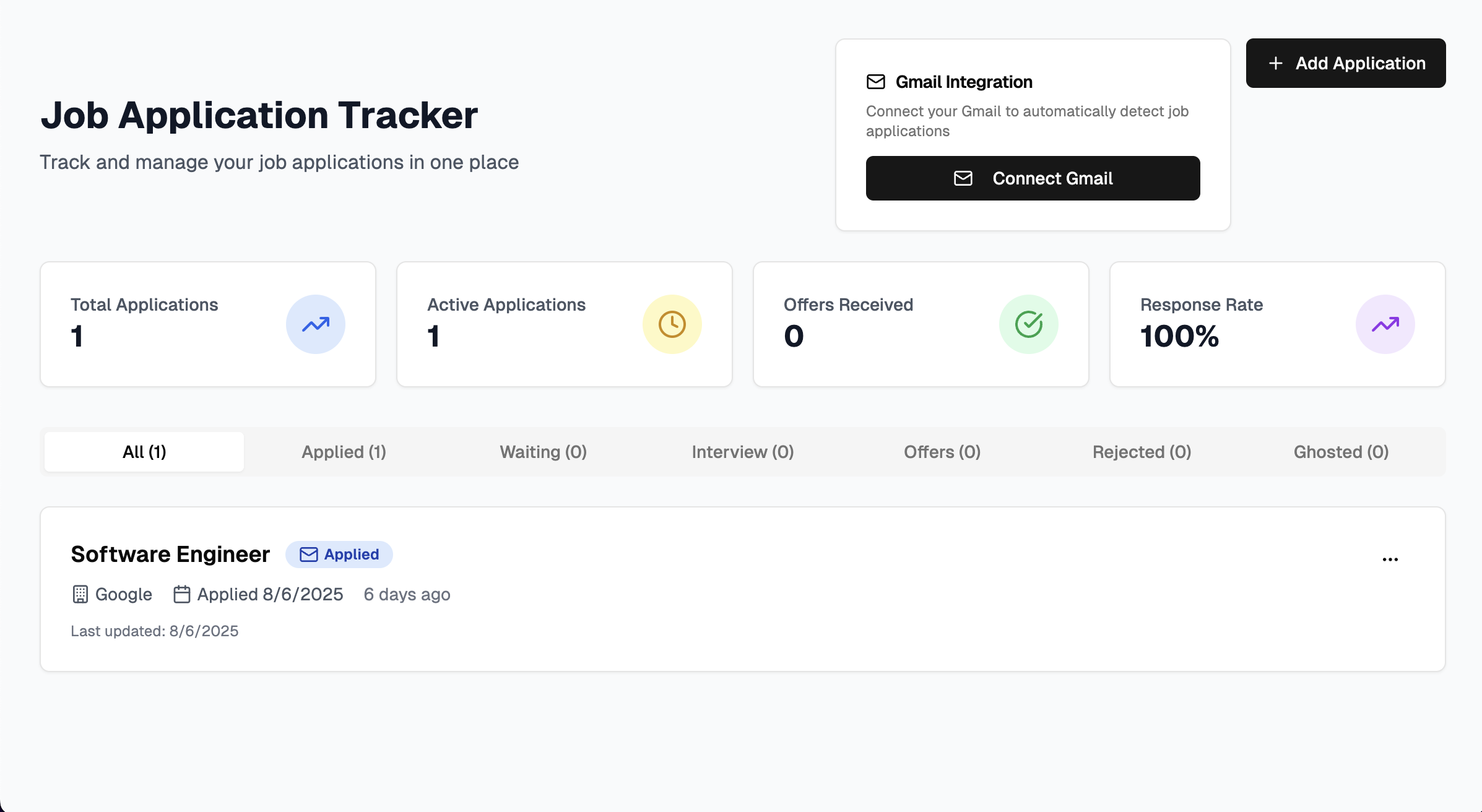
I spent a long time applying to jobs during my first year with no success. I spent hours perusing student job portals, LinkedIn, Indeed, Glassdoor, etc. Whatever job site you can name, I have visited it (provided it was operational in Germany) while searching for a job. I pivoted from searching for non-technical roles to technical roles because I am eager to showcase what skills I have obtained in my first year and through practice. Looking at the state of the job market and the difficulty of landing and tracking a role, and as someone with personal experience, I decided to build this — a system that not only helps me track my own applications but can also be used by other people. I wanted to prove I could find an avenue to show what I can do in a real way, to prove I can make a real contribution to the world of science. Then, I noticed I was seeing the same offers repeatedly. I was filled with a feeling of both joy and despair. It appeared I had exhausted my luck, and there was simply no hope. That was not true. I was simply not keeping an accurate enough track of what I had applied to and had no clue how and when it was appropriate to follow up with employers when my application seemed to become "lost in the wind." Enter... JT services
The journey to building a web app to track my own jobs began with a simple idea, born from a personal pain point. I knew I would need an interface to interact with, one more engaging than Google Sheets. A reminder to keep me on my toes: contact employers. After all, the only shameful thing about a job search is giving up (believe me, I wanted to do so much). A way to make the process much easier for me—applying for jobs, especially when each one requires a personal cover letter, a custom CV, sometimes translations, research, etc., is no easy task. I could apply to 10 to 20 a day, and adding each of them to a sheet manually seemed like a job on its own. Given the numerous AI tools available for mass application to jobs, I believe each role is unique. I prefer a hands-on application process that allows me to express my genuine excitement for each role I apply for. So I can show the hiring managers exactly what stands out to me and why I am different from the masses. And finally, a way to store all this information.
In my exploits as a software engineer, I came across Vercel, which hosts this very portfolio, and I had solved the first problem: creating an interactive space. The next issue was building such an interface, which I did using a combination of AI agents and self-taught coding practices, with TypeScript, JSON, React and CSS. It was no easy task to deviate from the standard HTML I was already familiar with from my time in Secondary School. I set about creating all components, determining where they would be linked, choosing theme colours, and deciding how interaction would work. This would be the easiest part... LOL
I have experience with Firebase and chose that as the place I would host the database. Linking it, however, turned out to be a headache, as it was only my second attempt at using the new service provided by Google. I had to find a way to efficiently protect data, in case I open the webapp to external use (at the moment it is only used to track my applications). I solved this by using Admin SDK, which ensures that data read/write operations happen server-side only and makes sure the client-side only interacts with my API. An API is a service that acts as a middleman between your app and Firebase (higher-level code written by Google). It allows my webapp to make requests (in this case, storing or retrieving application data from Firebase). Whenever I add a new application or update an existing one, my webapp doesn't talk to Firebase directly. Instead, it calls my API, which then talks to Firebase on the server. This keeps my data safe and also makes my app easier to manage.
Each application keeps track of the company, role, date I applied, status like 'applied' or 'interview', and any notes I add. There's also a clever deduplication system, so the same email doesn't get added twice. On top of that, the app scans my Gmail for new messages from the last 30 days and automatically classifies them as applications, interviews, or rejections, using smart keyword rules and some logic I built in. It even ignores generic job alerts, so I'm only notified about emails that actually matter.
I built reusable components like ApplicationCards for inline editing, ApplicationForm modals for adding new applications, and a GmailSync control for connecting or syncing my Gmail—all designed to make the interface intuitive and interactive. Whenever I open the app, it fetches all my applications, shows stats and alerts for ghosted interviews, and lets me update or add notes with a click.
The next obstacle was connecting my web app to Google, using OAuth. After gaining experience in previous projects (such as my Lyric generator) and with Firestore, I was able to connect this API relatively easily. I only had issues with this "new" certification system (OAuth).
So far, it is fully functioning and reads my Gmail to automatically detect applications as well as counts down to remind me to follow up on "Ghosted" interviews, as well as show rejections I have received. Fingers crossed it shows a few acceptances.
I am looking forward to adding Calendar support so that it connects to my phone and places reminders at my fingertips, as well as expanding it to new users. Hopefully, this makes students' lives that much easier, especially in this competitive and draining job market.
Stay tuned...