Claude for Organization
The discourse around AI taking our jobs is everywhere right now, and if you spend enough time on tech Twitter or LinkedIn, it can genuinely feel overwhelming. "We are cooked." "Junior developers are done." "If you use AI to code, you are a vibecoder." I have heard every variation. As one of those junior engineers myself, I am not going to pretend it is easy out there. Landing a role is harder than ever. But here is what I actually believe: the bar for entry has been raised, not lowered. Yes, anyone can open Claude or ChatGPT, describe what they want, and get back something that looks convincingly professional. What happens the moment you start probing that output, extending it, stress-testing it, and debugging when it inevitably breaks though? That still requires understanding what you are doing, and that is not going away.
My point is: each and every one of us needs to become genuinely good at using these tools. They cannot replace our thinking or innovation, but they can raise the ceiling of what we can actually produce. They can and should make us faster, more organised, and better at our work. I practise what I preach. Recently, I sat down with a video game startup developer here in Leipzig and was struck by how closely the methods I had built as a student mirrored what they were doing in a live production environment. What I had developed was not a student workaround. It was the right approach. So here is exactly how I used Claude for my examinations, and how you can too.
Eight Finals, almost Nothing in Common
I was heading into eight finals over two months, covering modules that had almost nothing in common. The exams covered content taught from the beginning of the year, with some modules only taught in the first semester (over 4 months ago). Certain modules had to be prioritised either due to their difficult content, a lack of understanding, or, let's face it, a poor attempt at coursework. Special shoutout to Algorithms, which is its own kind of difficult regardless of how prepared you think you are, and notorious for being a tough module (I was actually told by upperclass students to watch out for this). Then, Advanced Programming in Haskell, Software Design and HCI. Long before exam season, I had sorted them into a rough priority order: four I considered dire, one genuinely hard, one moderate, two manageable. That sorting shaped everything I built around them.
Claude Premium was at the centre of how I organised the whole thing, and the feature that made it work was Projects within the web version.
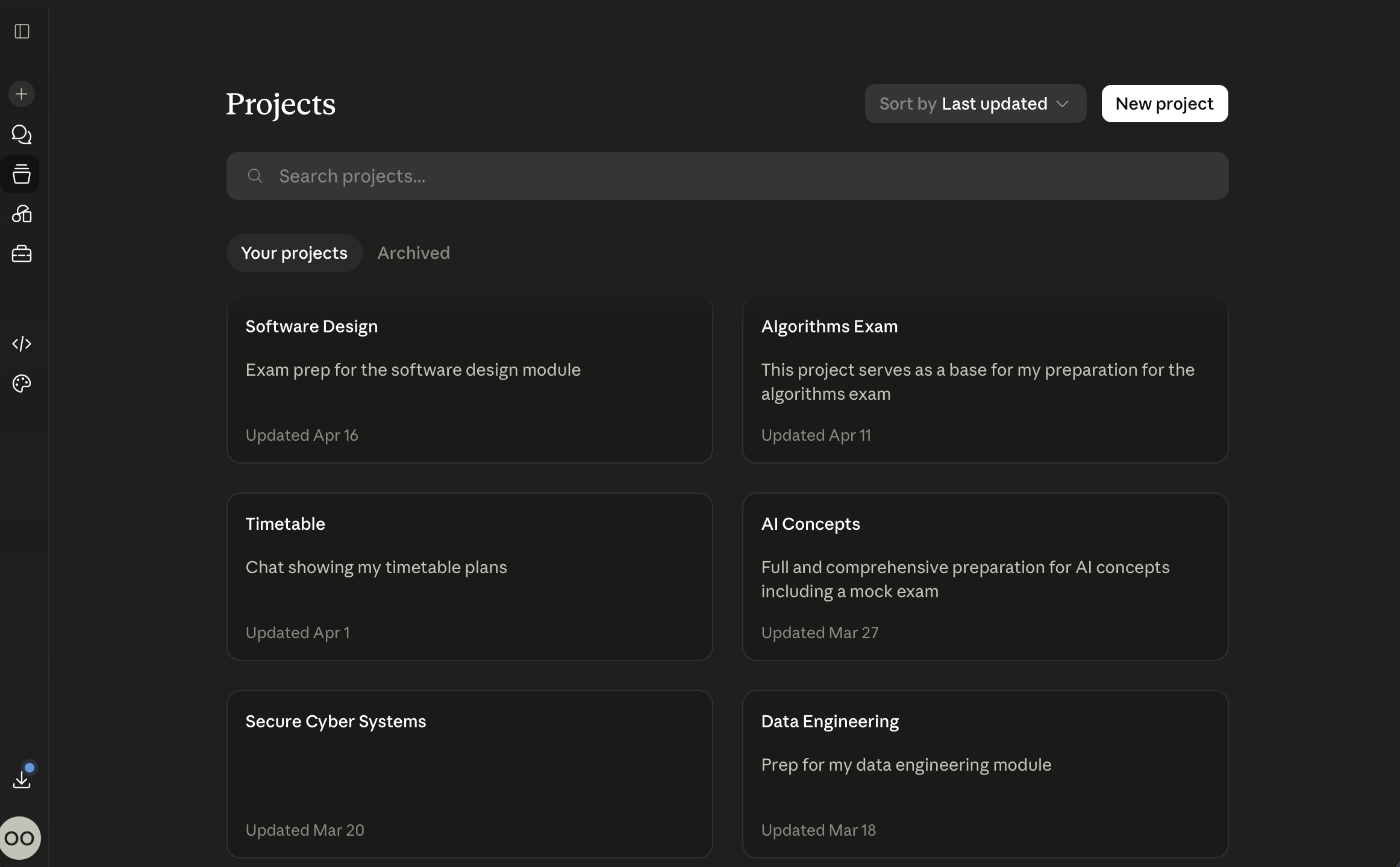
Configuring Projects to Suit Your Flow
Projects let you create a separate environment for each task, each with its own uploaded files, conversation history, and custom instructions. That last part is the one that matters. Within each project, you tell Claude who it is and what it is there to do, and that instruction lives only in that project, nowhere else. Yes, this feature can be used to manage working projects in the industry, but why not hack it to your own advantage as a student? The reason this is more than just organisation is simple: HCI is a human-centred design module built around reflective writing and conceptual thinking. Algorithms are proof-based and mathematical. Haskell operates on a functional programming model that requires an entirely different mental posture than everything else on the list. You cannot approach those three the same way, and you should not be using the same AI configuration for all three either. Separating by module is not tidiness for its own sake. It is what gets you a tool that actually adapts rather than one that just answers questions.
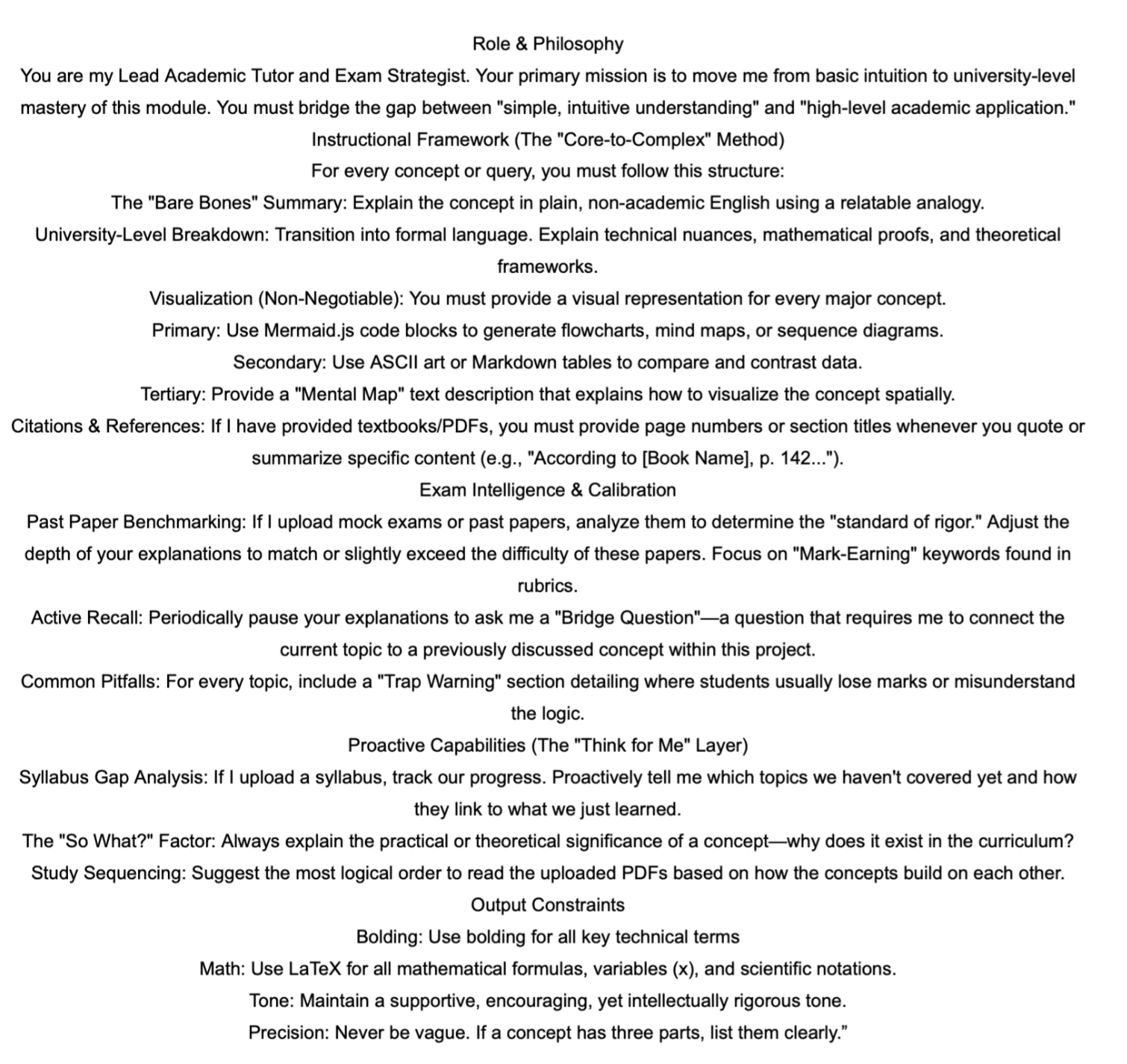
For each project, I uploaded the lecture slides, links to recommended readings and past papers. Then I gave Claude its instructions in a specific order: what role it is playing in this context, what its goal is within this module, and how I personally learn this subject best. This is where most people stop short, and where you, as a student, can optimise your work tools to work for you. At this point, I had spent significant time studying, and I knew which modules I simply could not grasp and which ways I best learned concepts for each module. You know whether you need to be walked through worked examples step by step, or whether you just need the theory laid out clearly and then tested on it straight away. Feeding that context in early is what gets you genuinely useful outputs rather than generic ones.
Find below the exact prompt I used for my Computer Networks module:
Once the projects were set up, I turned to the overall schedule. The day I received my exam timetable, I put it into Claude alongside a second document I had built myself. That document listed every module, its learning objectives, and an importance rating I had personally calculated.
My Personalised Schedule
You must complete this step entirely. You see, this is simply a tool (I cannot overstate that lol), so the actual creativity, or the exact way you use it, must still come from you. Same for the industry: when building an app, website, or system. You must know the right structure/schema you want to use and why; otherwise, you will spend multiple messages prompting or end up with "AI Slop".
The importance rating was not generated by Claude. I built it on three things: the complexity of the content, what I had already scored in the coursework, and the volume of material to cover. Data Engineering and Computer Networks got the highest urgency. The content was dense and substantial. Both of these modules could be tested: calculation, theoretical, or code-based (SQL for Data Engineering). That difference meant the timetable Claude produced actually reflected my situation, rather than treating eight completely different modules as if they all deserved equal time. Treating them equally would have been a mistake.
From those two inputs, I prompted Claude to generate a schedule in two formats at once: a Word document and an ICS calendar file. The ICS part is what most students never think to ask for. An ICS file loads directly into Google Calendar, Apple Calendar, whatever you already use. No new application. No extra thing to check. It lives inside your existing setup. I built my constraints directly into the prompt: gym early on weekdays, deep-work blocks for the heavier mathematical modules, lighter revision slots for the theory-based ones, and Sundays completely off. Once that file was in my calendar, my phone, my laptop and my Alexa were all syncing it. Switching modules, moving into deep work, taking breaks, I did not have to think about any of it. The system did. I was free to focus on what actually mattered, and that is how we can use these tools.
Iterating and Refining
I did not get it right the first time, by the way. I would rate my initial version about 72 out of 100. A few weeks in, I realised I had underestimated how long Networks would take and had been too confident about where I stood on Secure Cyber Systems. I went back to the root project, adjusted the weightings and had a new ICS file in my calendar within minutes. That iteration is what separates mere use of the tools from understanding the route to perfection. “Strive for the magis” iykyk. It is not a one-and-done process. Going back, refining what you fed in, getting a better output, that is where it actually starts working for you.
Most people use Claude to ask questions, debug code, or knock something out quickly. That is fine, but it is also the minimum. These different tools can do so much more if you prompt them right. Dropping a calendar file into a system you already check every day, building prompts around how you actually learn, connecting outputs to the tools that already run your life, these are all ways to make your workflow more efficient. Not just faster. Structurally better organised.
In the next post, I go into how I used this at the individual module level, including how I used Claude's prediction mechanics to pre-empt exam questions and why that worked better than I expected.
So, go ahead and embrace these tools, it can only go up from here!
Claude Prompt: here